01
Ask
Start with the question leadership, ecommerce or a specialist actually needs answered.

Expanly AI Connector · Preview
Ask a business question in the AI app your team already uses. The Expanly AI Connector gives it the evidence across your catalog, commercial and advertising data, so it can explain the opportunity and prepare the next move for your review.
A new interface to the business
The Expanly AI Connector brings the same synchronized data and priority model into the conversation, so the answer can move directly into a draft rule your team can review.
01
Start with the question leadership, ecommerce or a specialist actually needs answered.
02
See the relevant evidence, comparison and commercial implication in the most useful visual form.
03
Turn the finding into a draft rule, review or follow-up analysis.
04
Review the draft before it goes live. With Read and write access, set your AI app to ask before it publishes.
One conversation, many decisions
The same connected conversation can rank an opportunity, model a budget shift, turn a commercial priority into a controlled rollout and show what changed afterward.
Find the opportunity
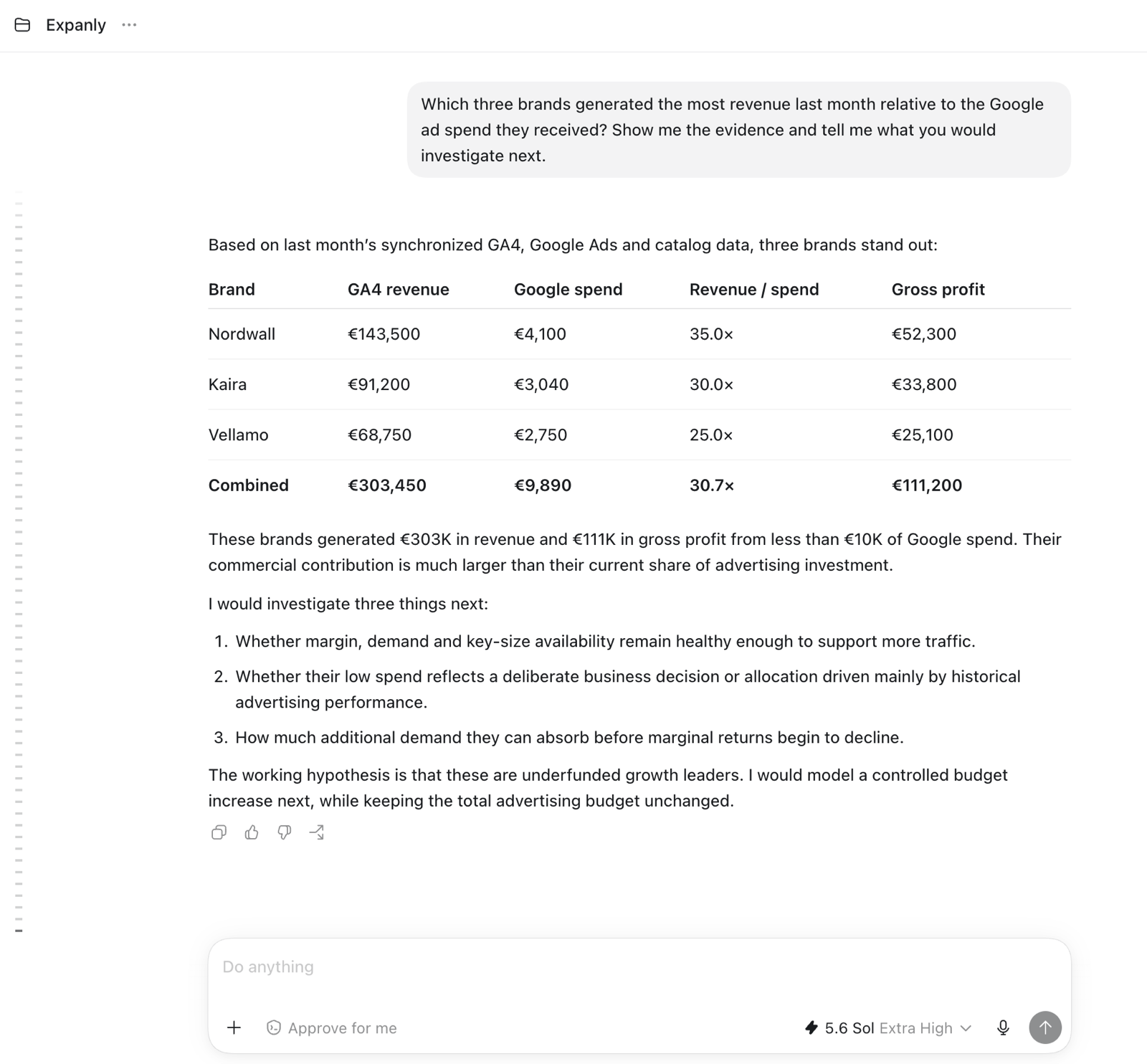
Bring advertising performance together with revenue, gross profit, availability and other commercial signals. The answer shows the evidence and what should be investigated next.
 (opens full-size image in a new tab)
Model the trade-off
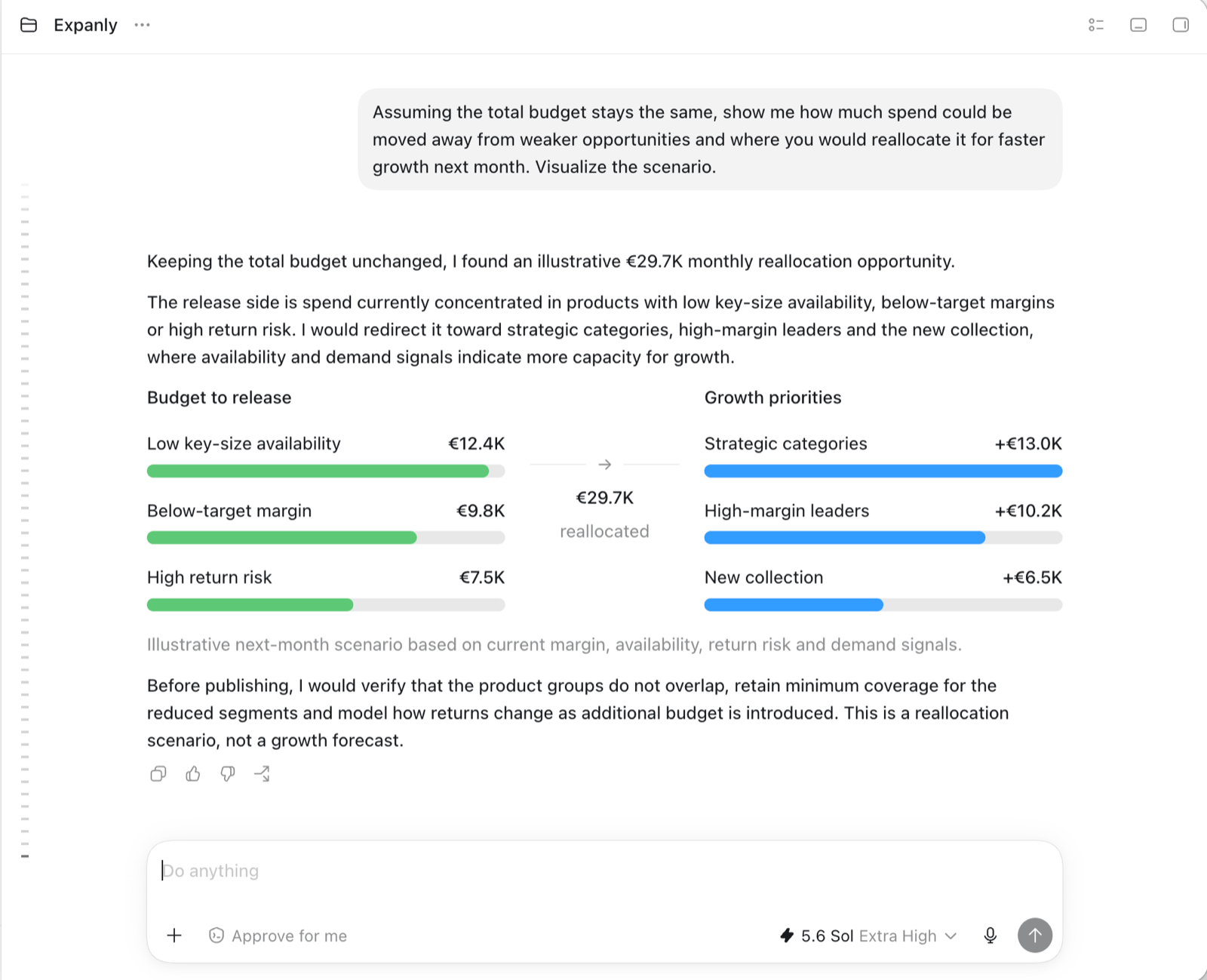
Turn the finding into a concrete reallocation scenario. Your AI app shows which budget could be released, where it could move and which assumptions still need to be checked.
 (opens full-size image in a new tab)
Put strategy into action
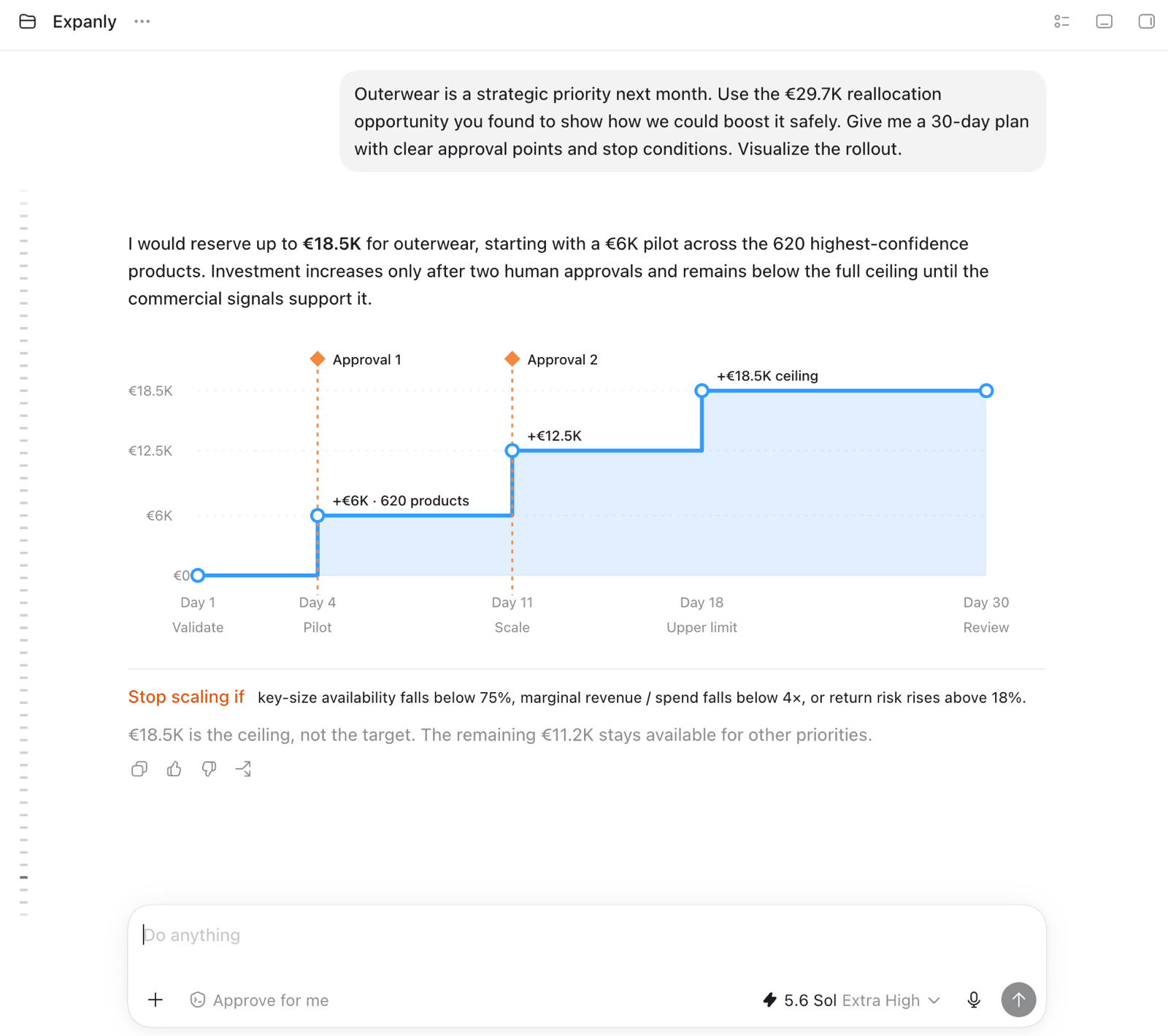
Ask your AI app to prepare the plan, safeguards and approval points. Review it with the people responsible for the business and paid media before anything goes live.
 (opens full-size image in a new tab)
Learn what changed
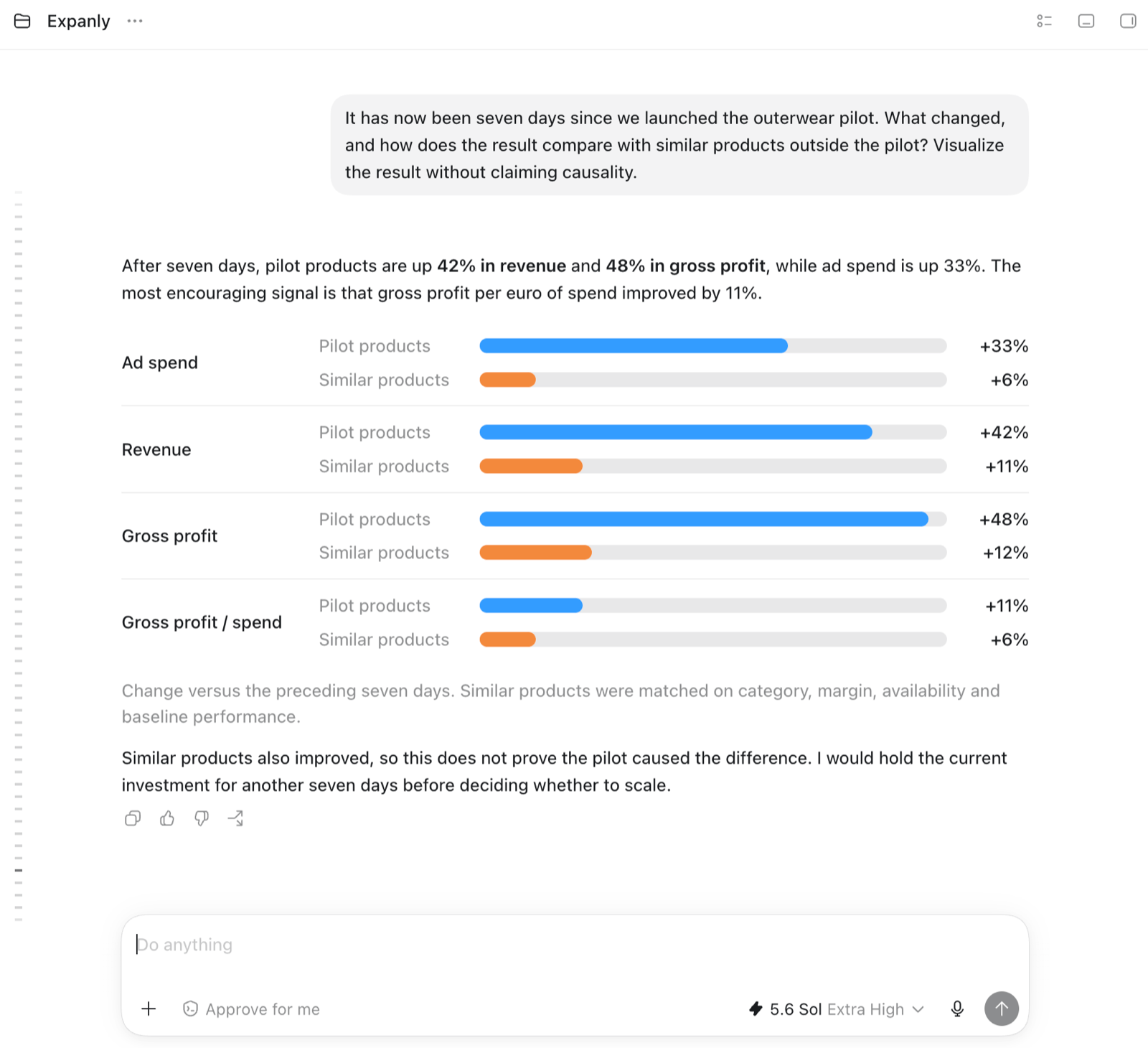
Compare observed movement with similar products outside the priority. The evidence becomes easier to understand without presenting correlation as proof of causality.
 (opens full-size image in a new tab)
How the Expanly AI Connector works
The Expanly AI Connector (called the Expanly MCP in our terms) connects Claude, ChatGPT, Microsoft 365 Copilot or another compatible AI app chosen by your organization to your synchronized catalog, commercial and advertising data. Your organization's owner decides whether the AI app can only read data or can also make changes.
01
An owner of your organization turns on AI access in Expanly and chooses Read-only or Read and write.
02
Add the Expanly AI Connector in Claude or ChatGPT and sign in with your Expanly account. In Microsoft 365 Copilot, your IT administrator adds it. Each person sees only the workspaces their Expanly role allows.
03
Set your AI app to ask for approval before high-impact actions such as publishing.
04
Investigate the evidence and prepare the next move without leaving the conversation.
Preview
The Expanly AI Connector is in preview with selected customers. Connect your business questions to synchronized retail data, prepare the next action and decide how much the AI app may change.
The Wasted Ad Spend Audit is the fastest way to see what Expanly can already find in your own data and discuss the preview with our team.